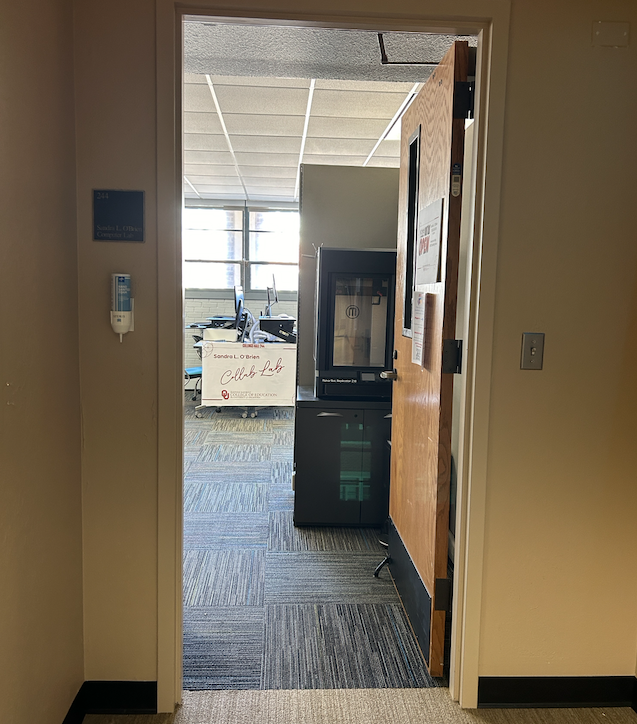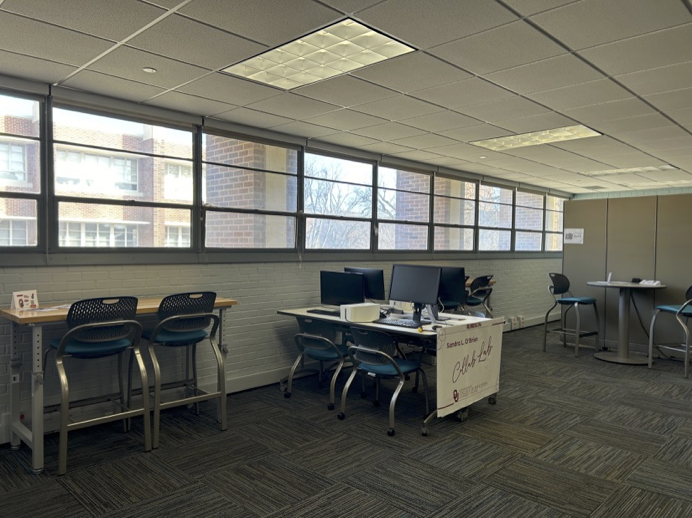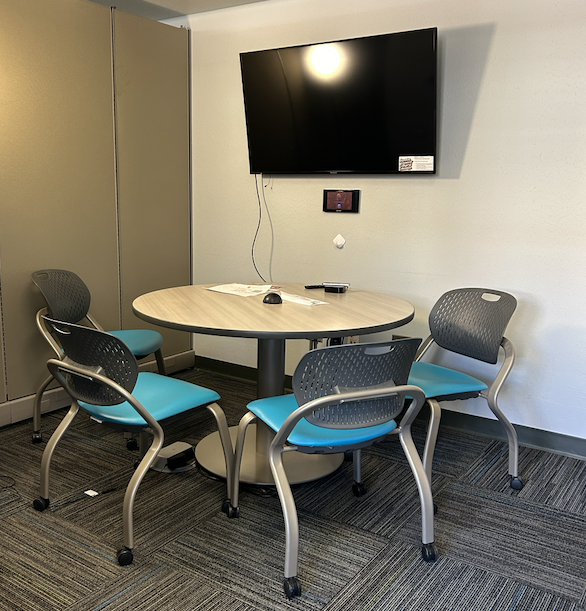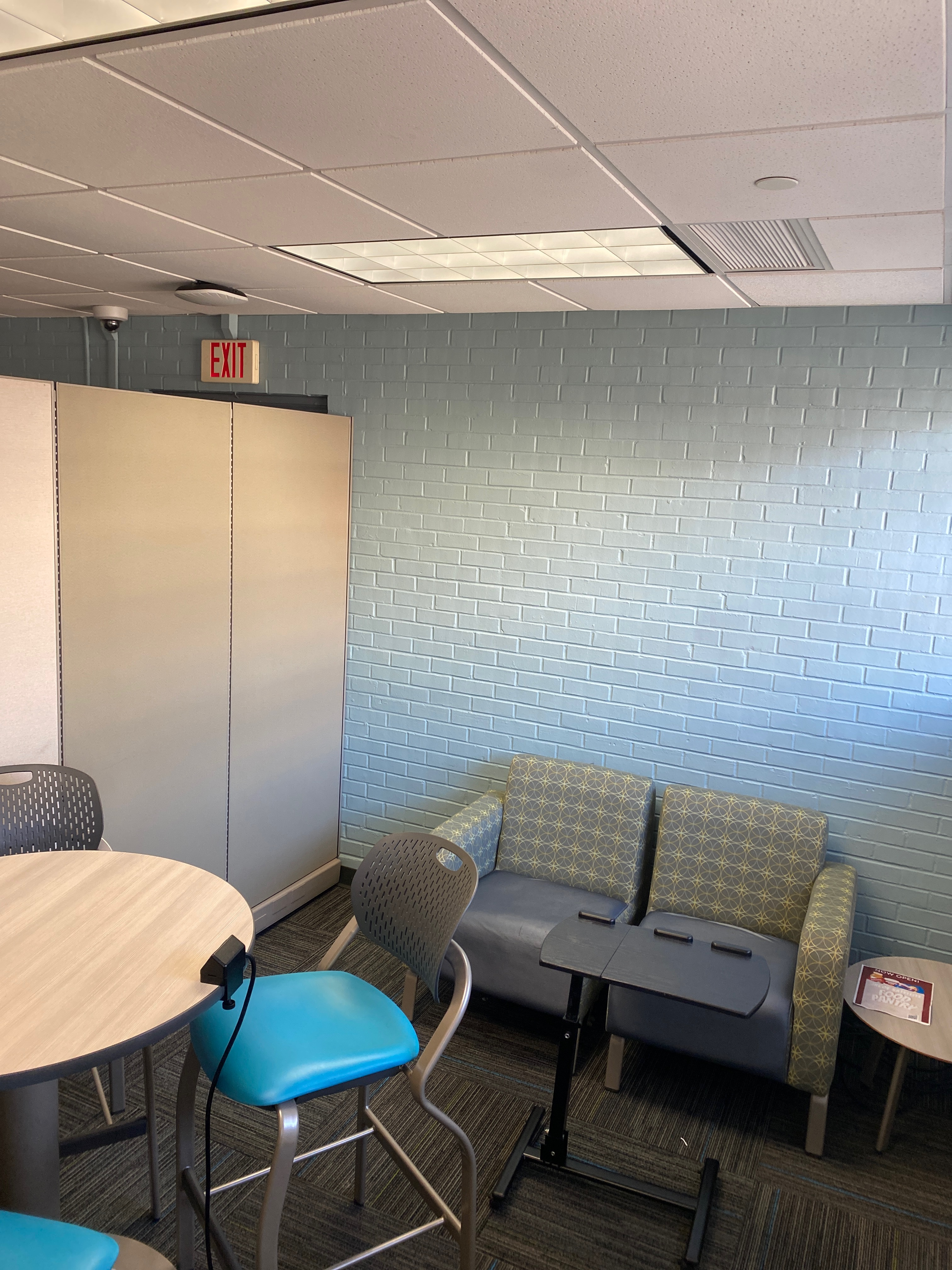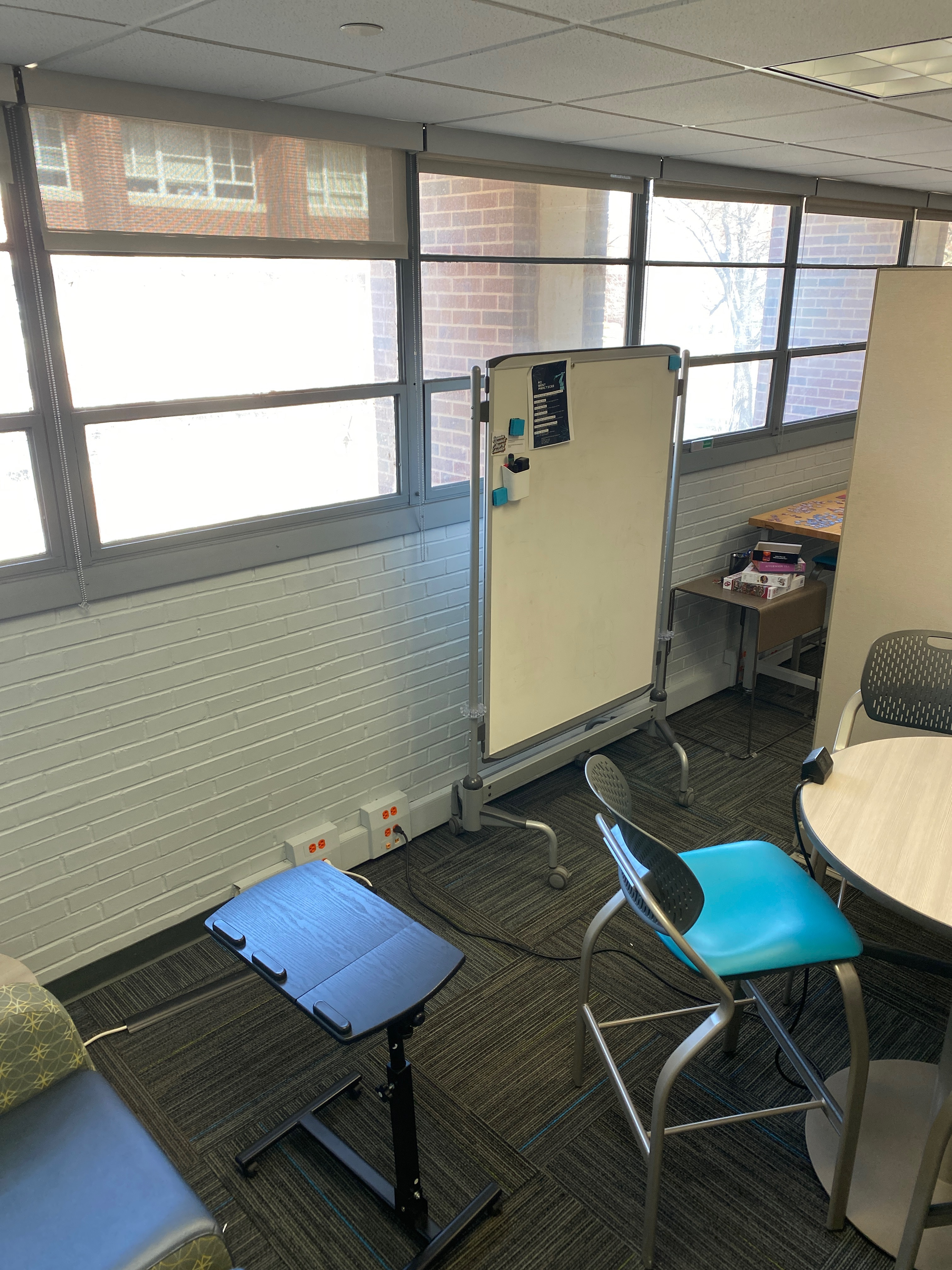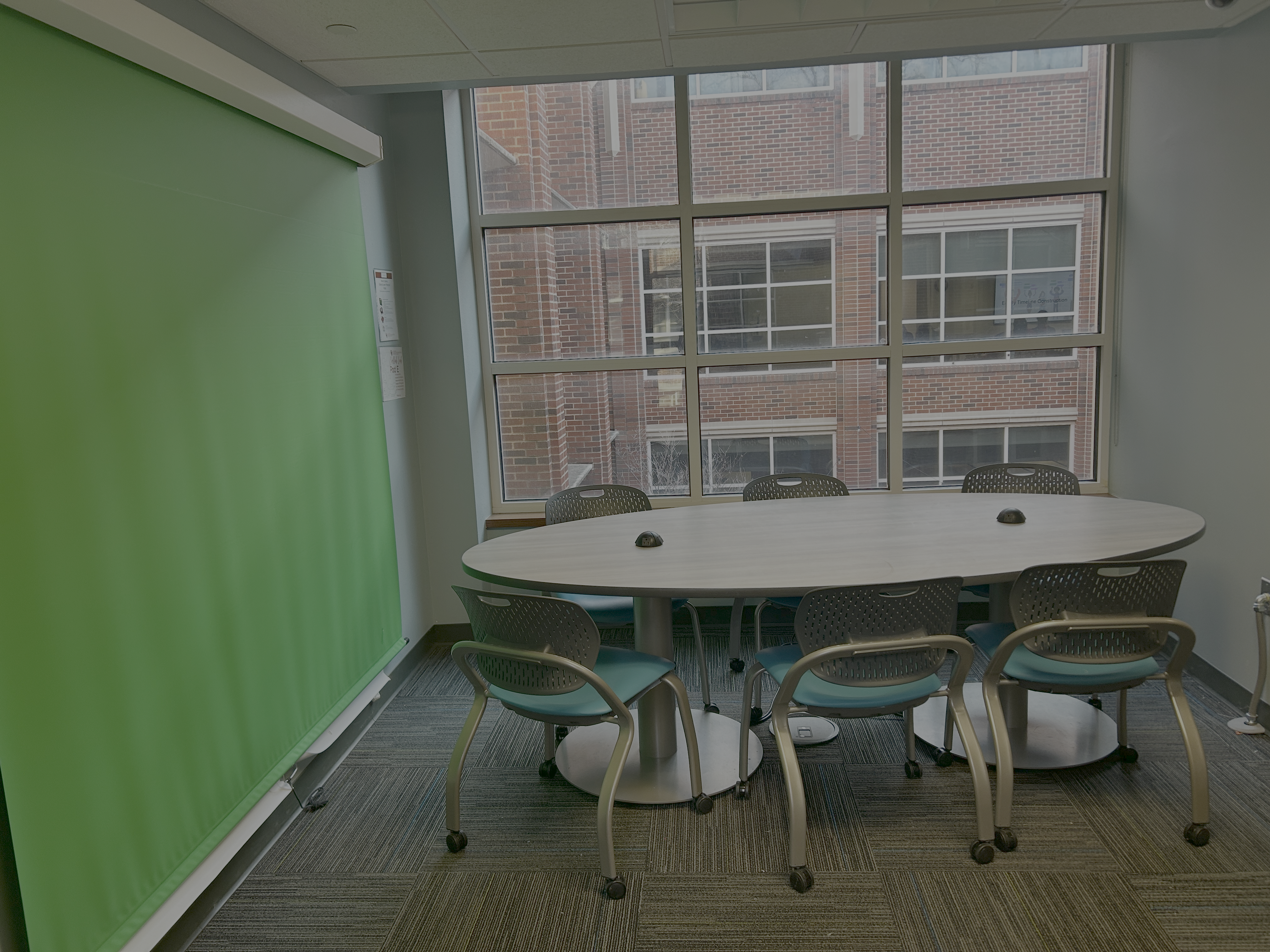
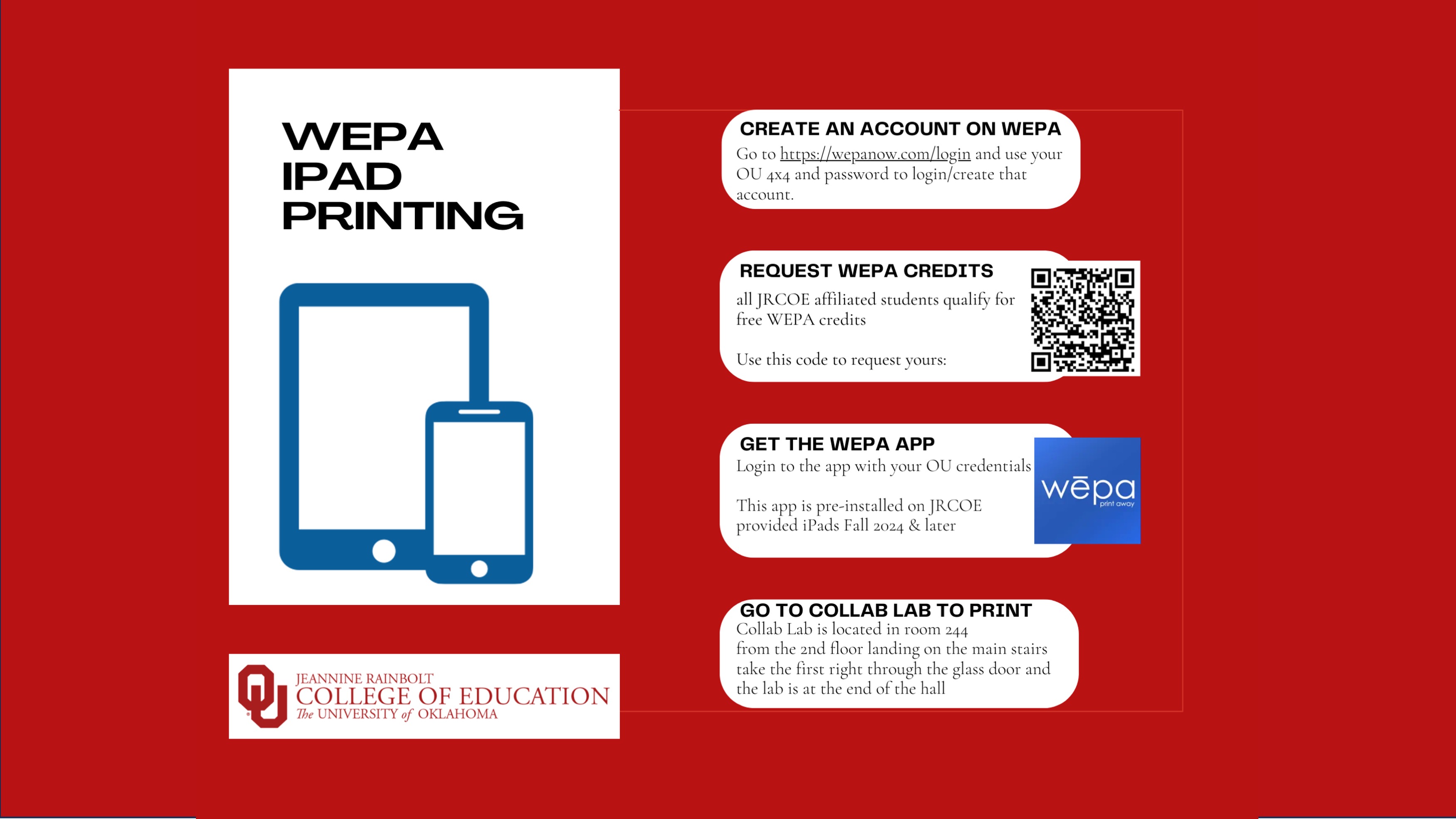
The Collab Lab in Collings Hall 244 is open during JRCOE building hours to allow students to use the printer and access the Collab Lab collaborative spaces.
Student assistants are scheduled most evenings and Saturdays to assist with classroom issues


Submit a ticket for College and Department Device Support
Submit a general request with OU IT provided services
Contact information for JRCoE IT
Check if there are OU managed tech issues

Please feel free to use the following in your syllabus and/or on your Canvas page.
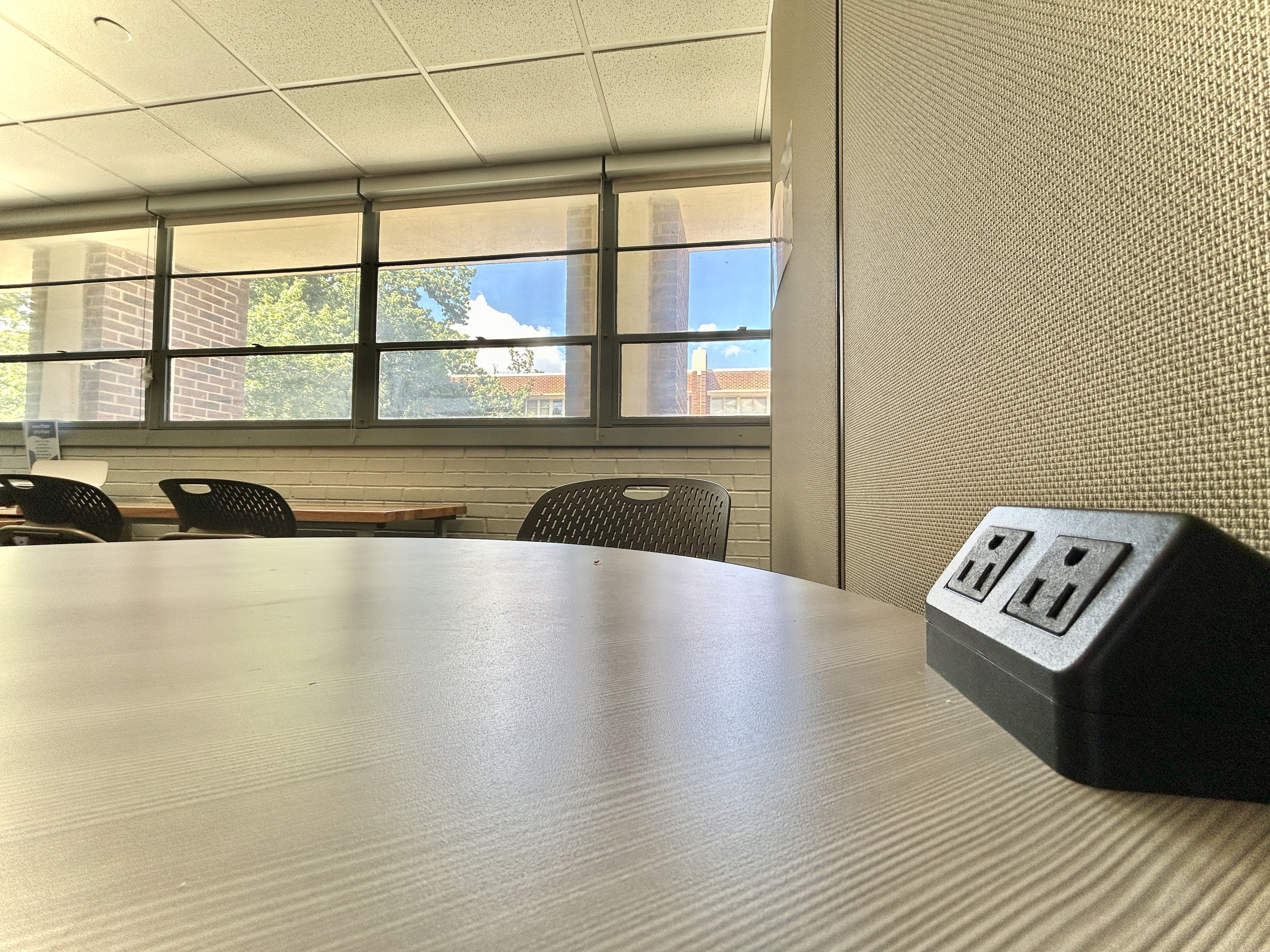
JRCOE IT is based in the Sandra O’Brien Collaborative Learning Hub (CollabLab), which is located on the 2nd floor of Collings Hall in room 244 (from the 2nd floor landing on the main stairs take the first right through the glass door and the lab is at the end of the hall). The Collab Lab is open when Collings Hall is open. Lab spaces have powered tables and are available for group work and screen sharing, as well as an area for quiet study. Use the WEPA printer in the lab for color and B/W printing and document scanning, and limited printing using the poster printer. All JRCOE students get $15 a semester in WEPA credits (form here: bit.ly/3YUcEnL). We also have Loaner tech, Maker Space and Ed Tech available to checkout – find the list and reserve items at this link: bit.ly/3ZeTOsQ. All sophomore and above JRCOE students get a free iPad to keep at graduation, and as part of this partnership with Apple all students can earn their Apple Teacher Certification (info here: bit.ly/3YP7A40).
JRCOE IT are happy to present to your class with a customized presentation on how JRCOE IT can help your students succeed in your class and at JRCOE!
We can come to you or host you in the Collab Lab.
We also do classroom instructional technology orientations and specialized presentations and tours for faculty or guests.
AI Directory - list of AI approved by OU IT
Notification_Helpsheet - how to limit distractions and maintain privacy when presenting
Video editing iPad - how to use a JRCoE iPad to edit videos and save to OneDrive or Canvas
AI Best Practices for students - created with the help of Dr. Jacob Pleasants
Vulnerability Mitigation and Standard Maintenance - Thank you for your assistance in addressing vulnerabilities to keep our devices and data secure.
How to use Global Protect VPN - How to install the OU VPN and login to on-campus resources when off OU Wifi
Software Purchasing - Using web or app software on OU owned devices
Button Maker instructions - Supplies to purchase, design specs, machine setup and how to make a button
Recording a video with Teleprompter - How to record a video with a script with or without the Teleprompter Rig.
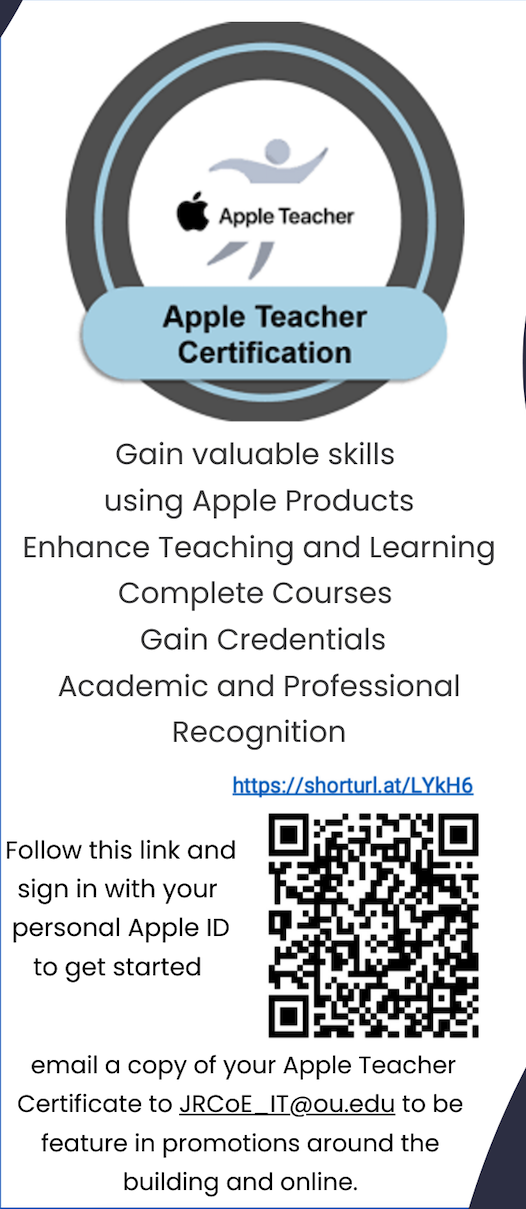
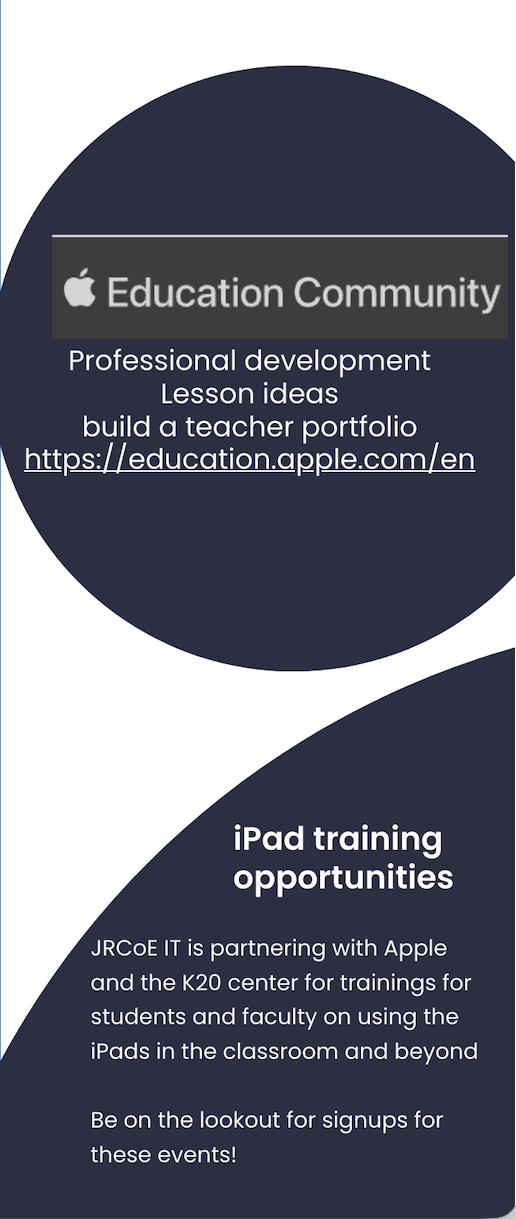
We are thrilled to facilitate Apple Teacher certifications for JRCoE students! This program provides valuable skills in using Apple products for educational purposes, enhancing both teaching and learning experiences. Students can enroll in various certification courses and gain credentials that will benefit them throughout their academic and professional careers. Visit education.apple.com to get started with your personal Apple ID. Students who complete the program will be featured in JRCoE IT promotions around the building.
Connect with JRCoE IT on Teams! You can post in the channel for all JRCoE to discuss IT matters or direct message JRCoE IT team through Chat, as well as browse the repository of helpsheets.
All classrooms have had their wiring cleaned up to only have active inputs.
All classrooms have adapters, presenters, TV remotes and digital clocks.
Classrooms 139, 165, 170 and 334 have new TVs installed.
Use the QR code that is posted in each to request assistance if needed.

Over Winter Break JRCoE IT Staff toured the ESports Facility, the Innovation Hub and the OU Data Center.

All JRCOE classrooms have
Learning Spaces Technology Support provides specialized in-room support services for technology in classrooms.
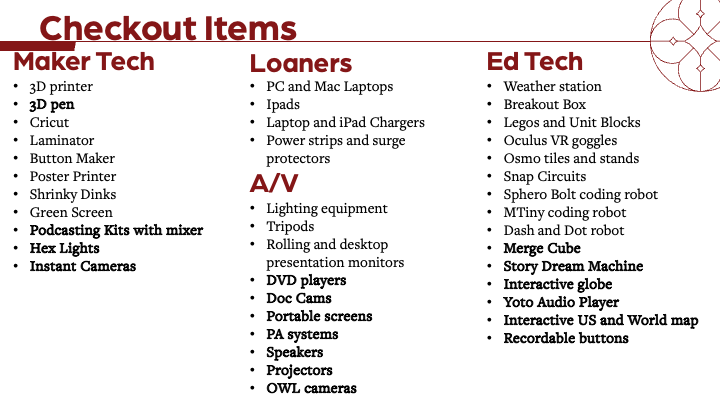
We are excited to offer a variety of ed tech toys that can be used by classes, students, staff or faculty. These tools are designed to make learning fun and interactive and are available for checkout and can be reserved online.
Visit https://ou-jrcoe-it.myturn.com/library/inventory/browse for more details and to reserve your favorite education tech tool today!
The University offers a wide range of free and for-purchase software for work and school use. Includes both operating systems and desktop applications.
Our loaner device checkout and reservation system makes it easier than ever to reserve and borrow laptops, tablets, and other tech gadgets.
Purchasing a laptop or other computer for your incoming Jeannine Rainbolt College of Education student is not required as there are computers for loan in various areas on campus, including JRCoE. If you have a hardship in purchasing a device and would like assistance please reach out to JRCoE Student Support Advocate : dbjackson@ou.edu
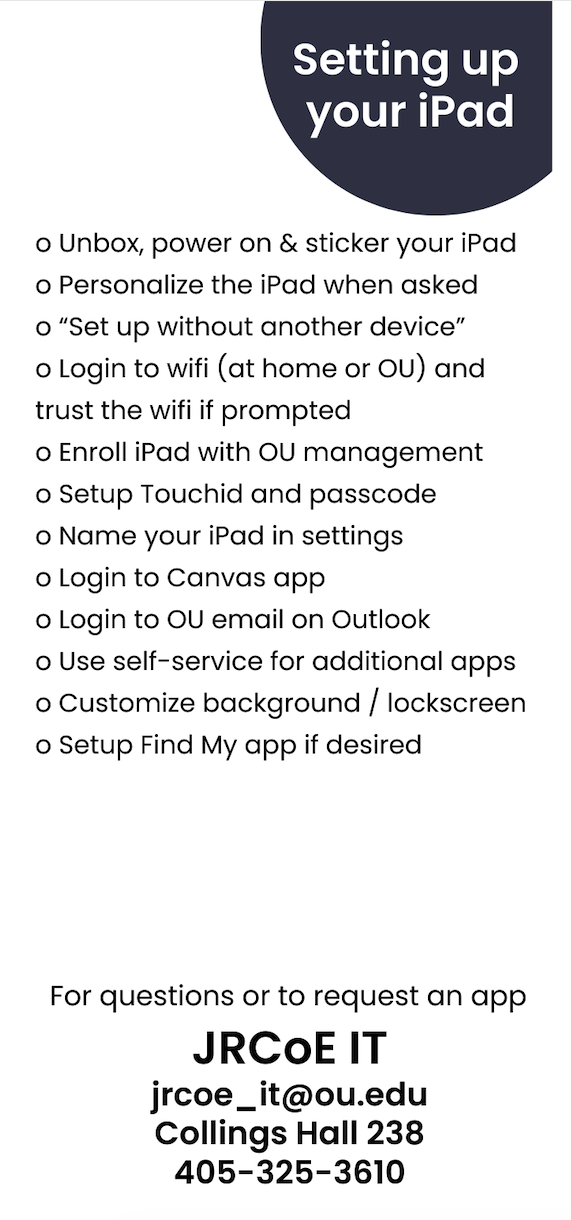
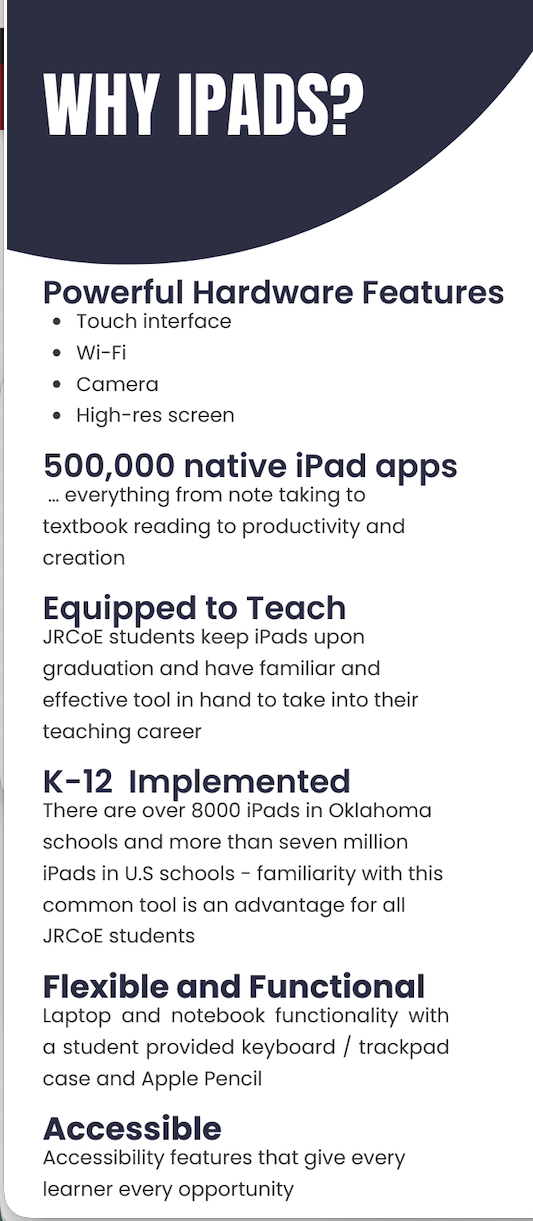
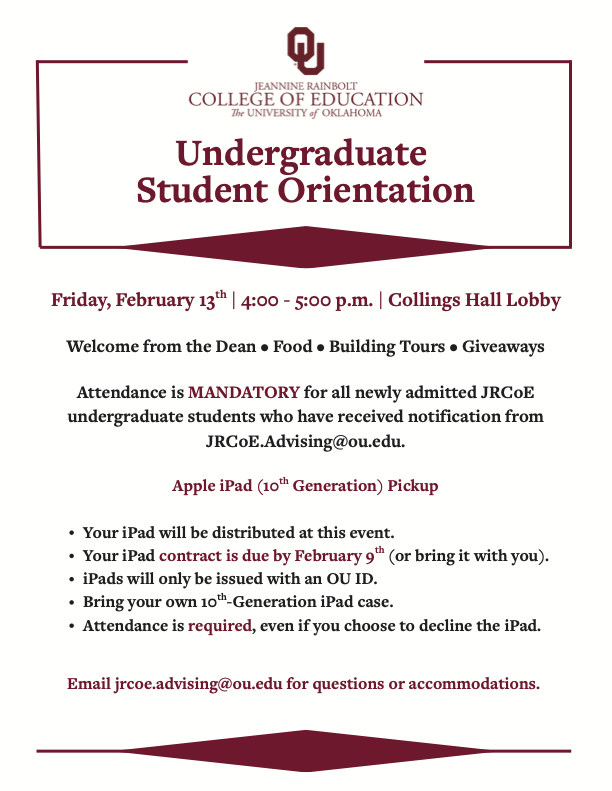
Once your student is a sophomore at JRCoE they will receive an iPad from the College of Education that will be theirs upon graduation.
However, if you are purchasing a device for your student to attend OU and need to determine what device to purchase - start with what Operating System your student is accustomed to. Whatever type of laptop they used in high school (Windows or Mac) or something in the same OS family (iPhone/iPad in the Apple family) is essential so that your student isn’t learning a new OS in addition to all the other things they will learn as a college student.
If your student used a Chromebook previously then either OS will be fine. Chromebooks in general aren’t recommended as they don’t have the processing speed or ease of software installation as laptops.
Both Dell and Apple have educational pricing available for students and their families, that have standard packages at lower prices:
Renewed/Refurbished laptops (Amazon link) can be cheaper but with same specs and are just fine for student use. From the link above you can filter for different OS, size, weight, etc.

Every upperclassman undergraduate student at JRCoE is eligible to receive a free iPad that will be theirs to keep upon graduation. This JRCoE iPad program uses JAMF management, ensuring that all apps are securely and efficiently managed. This system allows for streamlined app distribution, updates, and maintenance, providing a hassle-free experience for both students and teachers. Eligible students will receive an invitation to the upperclassman orientation each semester with more information about iPad deployment.
Please email jrcoe_it@ou.edu if you have any questions.
Keep at Graduation
Individualized Learning
Increased Engagement
Distance Learning Ready
Opportunity Equality
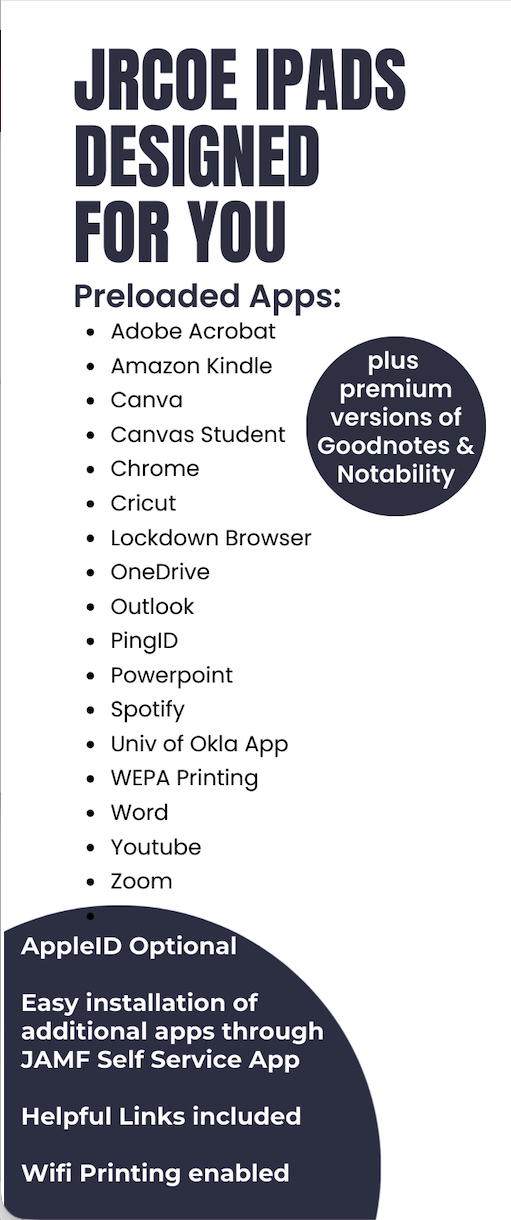
If you have an app you would like pushed to the iPads please fill out the iPad App Suggestion Form.
Catchy Words AR
Green Screen – Background Editor
JigSpace
Merge Object Viewer
Meta Horizon
Orboot Earth AR by PlayShifu
OSMO apps
Veescope Live Green Screen App
brightwheel: Child Care App
Canvas Teacher
ClassDojo
EZ Texting Messaging App
Google Chat
Google Classroom
Google Keep
Google Meet
Google Translate
Goosechase
Microsoft Outlook
Microsoft Teams
Remind: School Communication
Seesaw
Speak & Translate – Translator
Zoom Workplace
Canva: AI Photo & Video Editor
CapCut – Video Editor
ChatterPix – Duck Duck Moose
ChatterPix Kids
Cricut Design Space
Draw and Tell HD
GarageBand
Green Screen – Background Editor
iMovie
JigSpace (3D creation/visualization tool)
LEGO® Builder
Osmo Masterpiece
Osmo Monster
Spotify for Creators
Stop Motion Studio
Suno – AI Songs & Music Maker
Superhero Comic Book Maker HD
Veescope Live Green Screen App
Yoto: Music, Stories, Sleep
· Amazon Kindle
· brightwheel: Child Care App
· Catchy Words AR
· ChatterPix – Duck Duck Moose
· ChatterPix Kids
· ClassDojo
· Draw and Tell HD
· Go for Dash & Dot Robots
· Hoopla Digital
· Khan Academy Kids
· Libby
· My Story – Kids' Storybook Maker
· Orboot Earth AR
· Osmo Coding Awbie
· Osmo Masterpiece
· Osmo Monster
· Osmo Newton
· Osmo Numbers
· Osmo Tangram
· Osmo Tangram Classic
· Osmo Words
· Osmo Words Chomp
· Osmo World
· Prodigy Math Game
· Remind
· Seesaw
· Sphero Edu
· Superhero Comic Book Maker HD
· The Human Body Lite
· Wonder for Dash & Dot Robots
· Yoto: Music, Stories, Sleep
Amazon Music: Songs & Podcasts
Amazon Prime Video
Hoopla Digital
Libby, the library app
Pandora: Music & Podcasts
Spotify: Music and Podcasts
YouTube
Canvas Teacher
ClassDojo
Edpuzzle
Educreations Whiteboard
Explain Everything Whiteboard
Goodnotes: AI Notes, Docs, PDF
Google Classroom
Google Keep – Notes and Lists
Goosechase
Microsoft OneNote
Microsoft Whiteboard
Mind Mapping
Nearpod
Notability: Smarter AI Notes
Osmo World
Quizlet: More than Flashcards
Seesaw
Wayground
Canvas by Instructure
Cash Application
EZ Texting Messaging App
IAdvise
LockDown Browser
PingID
Wepa Print
Adobe Acrobat Reader: Edit PDF
Calculator₊
Dropbox: Cloud Storage Backup
Google Chrome
Google Docs
Google NotebookLM
Google Sheets
Google Slides
Jamf Self Service
Keynote
Microsoft Excel
Microsoft OneDrive
Microsoft PowerPoint
Microsoft SharePoint
Microsoft To Do
Microsoft Word
Padlet
Pages
Perplexity – AI Search & Chat
Wakelet
WordPress – Website Builder
Go for Dash & Dot Robots
MTiny
Osmo Coding Awbie
Sphero Edu
Swift Playground
Wonder for Dash and Dot Robots
Amazon Kindle
Catchy Words AR
Goodreads: Book Reviews
My Story Kids' Storybook Maker
Osmo Words
Osmo Words Chomp
GeoGebra Calculator Suite
GeoGebra Geometry
GeoGebra Graphing Calculator
GeoGebra Scientific Calculator
Khan Academy
Khan Academy Kids
Osmo Numbers
Osmo Tangram
Osmo Tangram Classic
Prodigy Math Game
GeoGebra Scientific Calculator
Osmo Newton
The Human Body Lite
The Weather Channel – Radar
Google Arts & Culture
Google Earth
Hello History – AI Chat
Interactive Constitution
National Park Service
Orboot Earth AR by PlayShifu

Standard laptop with monitor, keyboard, mouse and dock as the “one device”. This allows for the for the user‘s “one device” to work off campus and keeps all content on one device rather than multiple. With the addition of the peripherals the computer/user interaction is nearly identical to using a desktop.
Please consult Laptop Standards List for the standard laptop options.
o Staff/Instructors are recommended tier 1 devices (admin/office)
o Professors are recommended tier 2 devices (mid-level)
o Admin are recommended tier 2 (Mac) or tier 3 (Windows) devices (high end)
All new faculty to the JRCoE will get a computer provided by the college and then will have a budget of $2000 to purchase preferred peripherals (monitor, mouse, keyboard, docking station) and/or tablets. This peripherals budget is expected to be used by the end of two years.
If you are replacing the device at end of life cycle and already have a monitor, docking station, keyboard mouse etc those would only be replaced if they're no longer compatible.
All items in the technology package must adhere to the standards and policies of the University of Oklahoma.
This policy allows University funds to be used to purchase one (1) desktop computer or one (1) laptop with docking station and external monitor, as necessary, per employee. Users will be eligible to replace this computer at the end of the lifecycle documented on the Computer Standards List or if the computer malfunctions and cannot be repaired or replaced through a warranty claim. Additional standard computers may be purchased for a single employee using externally derived research funds. Requests to use internally derived research funds to purchase additional computers for a single employee must follow Non-Standard Computer Equipment and Inventory process below, as these funds often share accounts with other funding sources.
Users or Departments requesting computer equipment that deviates from this policy must complete the Non-Standard Computer Equipment and Inventory form providing at a minimum: mission-specific (academic, research, administration, etc.) justification, provision of the requested computer equipment, and available price.
This process enables OU IT to maintain a asset inventory for risk mitigation, security, support, and compliance purposes and also facilitates future planning of standard offerings.
*The Computer Standardization Policy does not govern the purchase of tablets (meaning those personal computing devices that use a mobile OS like iPads). As long as your department approves the budget to purchase a tablet in addition to your “one device” machine, there are no barriers to purchasing a tablet in addition to your computer.
· Single user computers can be replaced every 3 to 4 years based on the OU Technology Standard replacement lifecycle, as long as they adhere to the "one device" policy
· Shared department computers, peripheral or tablet replacements are purchased by JRCoE IT using the department/grant CFS
· Secondary devices can only be replaced with a new device under the Non-Standard policy above
Departments may choose to extend the life of a computer past these recommended limits or down-cycle devices to use as a secondary computer for the original employee or for research laboratories, field applications, student employee equipment, etc. until the technology can no longer meet support, cybersecurity, or policy requirements, at which time the computer will be returned to OU IT for disposal. The department and computer user are accountable for ensuring that down-cycled systems are sanitized to comply with all University policies and to protect data and systems from unauthorized access.
The University offers a wide range of free and for-purchase software for work and school use. Includes both operating systems and desktop applications.
New hire full-time JRCoE faculty and staff form to request onboarding technology package.
Full-time JRCoE faculty tech purchases paid for with your CFS - check with your admin to confirm what is available.



Student assistants are scheduled most evenings and Saturdays to assist with classroom issues
The Collab Lab has a range of amenities designed to support collaborative work and creativity. Features include:
Our loaner device checkout and reservation system makes it easier than ever to reserve and borrow technology items.
All JRCoE affiliated students get $15 in WEPA credits per semester
slide show with info about the JRCoE IT and the Collab Lab
feel free to use in your classes

You are welcome to use the JRCoE IT help booking calendar, a system designed to streamline the process of requesting technical assistance. Whether you need help with software, hardware, or any other tech-related issue, you can now book an appointment with our JRCoE IT team online.
820 Van Vleet Oval
Norman, OK 73019
IT Department
Collings Hall 238
Email: jrcoe_it@ou.edu
Website: ou.edu/education/it
JRCoE IT Teams / Sharepoint Site
Sandra O'Brien Collaborative Learning Hub
Collings Hall 244


Technology Support Analyst
OU Cell Phone: (405) 953-5481
Email: Wyatt.I.Dees-1@ou.edu
ECH 238

Technology Support Admin
K20 Center
OU Cell Phone: (405) 420-3094
Email: mcgaha@ou.edu
K20