
When working within the Content Parsys all web components must first be placed inside of a Section Component
The Rich Text Editor is where you add and format text on your website. It works like a simple word processor and helps keep your content clear and easy to read.
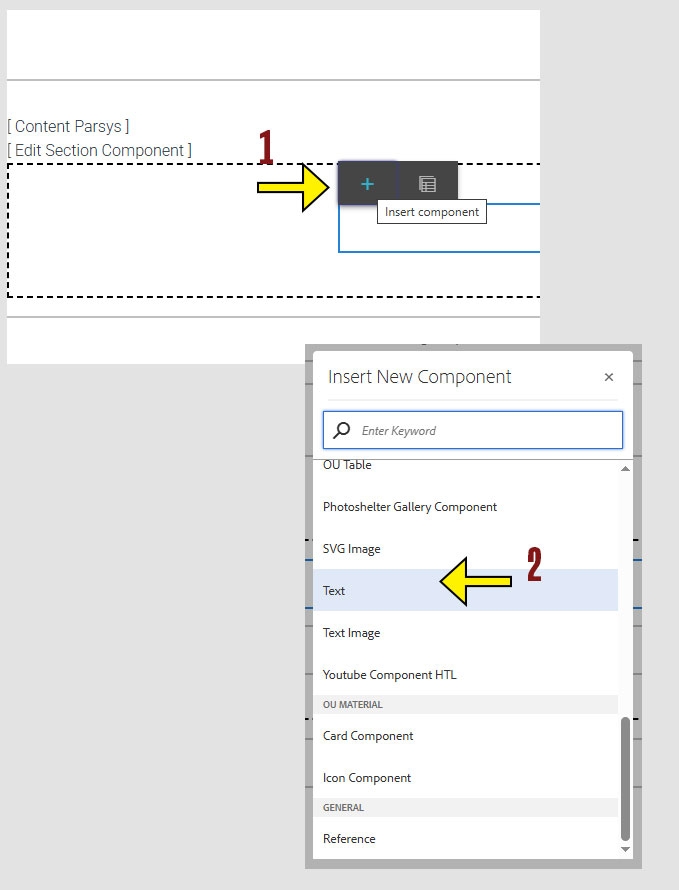
Click within a section component to insert new components.
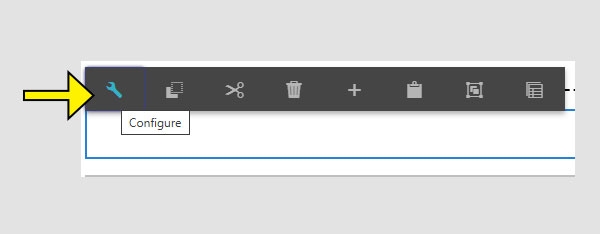
Inside the Text component, you’ll find three fields:
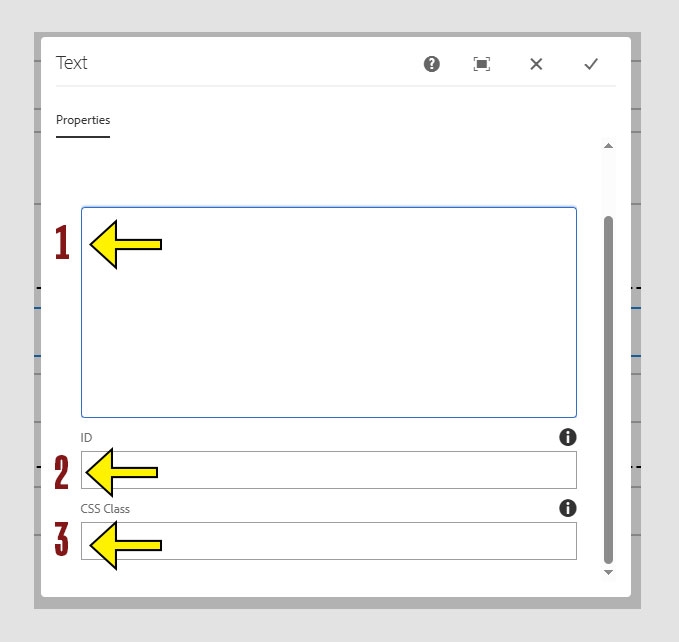
The text box is where most of your content editing will happen. You can type and format text here, similar to how you would in a Word document.
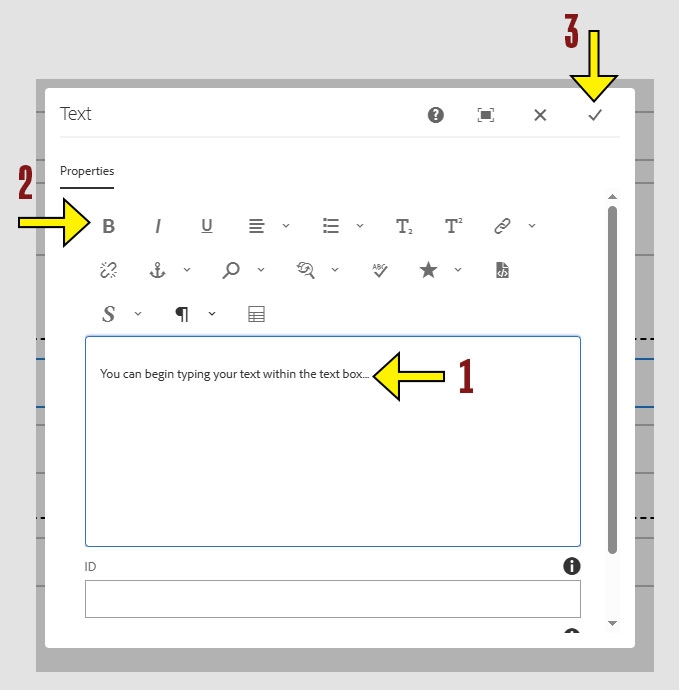
The toolbar provides formatting tools similar to what you’d find in a word processor. Here's what each button does:
Tip: Hover over each icon in the toolbar to see its name and function. This is a quick way to learn what each tool does
Insert Table – Do not use, instead use the OU Table Component for consistency with Accessibility and design standards
