

Canvas Teaching Tips are distributed by the Dodge Family College of Arts and Sciences Online and Academic Technology Services office and offer SHORT helpful tips about Canvas, online learning, and academic technology.
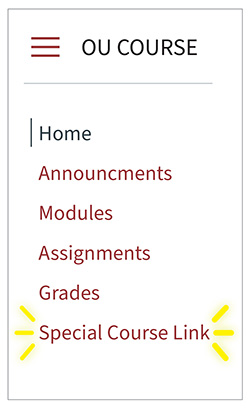
You can create your own links in the left-hand navigation of your Canvas course. These links can be customized to go almost anywhere, including an external URL or a page or resource in Canvas. The title of the link is also completely customizable and can even include symbols and emojis.
How do I add custom links to Course Navigation?

Here is an example of a custom navigation link being used in Canvas.

Canvas help is easy to find and always available. Click the Help button in the Canvas global navigation for 24 hour support and great help guides.
If you'd like to learn more about this Canvas tip, or Canvas in general, please contact our office at 405.325.5854 or casonline@ou.edu.
